Operations
Provisioning Workflows
Provisioning in the CMS follows the hierarchy of Distributor → Partner → Tenant → Subscription. Each workflow ensures that commercial alignment and technical access are established at the same time.
Adding a Distributor
-
Action: Platform Admin creates a new distributor record.
-
Inputs: Distributor name, contact details, commission framework.
-
Outputs: Distributor admin account and portal access.
Onboarding a Partner
-
Action: Distributor (or Platform Admin) creates a partner under their scope.
-
Inputs: Partner name, branding settings, commission rates if defined.
-
Outputs: Partner admin account with delegated access.
Creating a Tenant
-
Action: Partner admin creates a tenant.
-
Inputs: Tenant organization name, contact details, identity provider mapping.
-
Outputs: Tenant administrator account.
Assigning a Subscription
-
Action: Partner or tenant admin creates a subscription under a tenant.
-
Inputs: Linked plan, quotas, optional overrides (pricing/credits).
-
Outputs: Active subscription that begins generating usage.
Checklist
-
Ensure commission settings are correct before onboarding partners.
-
Confirm tenant identity settings before creating user accounts.
-
Validate subscription linkage to an active plan to avoid billing gaps.
Backups & DR
Protecting CMS data is essential for both compliance and operational recovery. The key data asset is the MySQL database, along with configuration files and TLS certificates.
Backup Strategy
-
Database: Perform regular dumps or use replication to a secondary server.
-
Configuration: Store environment variables and YAML manifests in source control.
-
Certificates: Securely archive TLS certificates and renewal processes.
Recovery Strategy
-
Point-in-Time Restore: Restore from the most recent database backup to recover billing and usage records.
-
Disaster Recovery Deployment: Deploy CMS containers to a standby cluster using restored configuration and database data.
-
Verification: Always validate recovery by logging in and confirming tenants, subscriptions, and billing summaries are intact.
Recommendations
-
Automate backups using container cron jobs or external schedulers.
-
Encrypt and test restore procedures regularly.
-
Document recovery time objectives (RTO) and recovery point objectives (RPO).
Monitoring & Alerts
The CMS provides monitoring hooks and reporting functions to ensure service continuity and compliance with billing accuracy.
Core Monitoring Areas
-
Usage Processing: Track success/failure of usage collection jobs per region.
-
Billing Runs: Monitor invoice generation status and ensure records reconcile.
-
Commission Runs: Verify commission calculation jobs complete without errors.
-
Authentication: Monitor login failures and token validation errors.
-
System Health: CPU, memory, and storage usage for container hosts.
Alerts
-
Threshold Alerts: Notify when consumption approaches plan quotas.
-
Job Failures: Notify when usage, billing, or commission jobs fail.
-
Connectivity Issues: Alerts for failed API calls to Azure Stack Hub regions.
-
License Expiry: Warning when TLS or license certificates near expiration.
Integrations
-
Alerts can be forwarded to external systems such as Splunk, Rapid7, or Azure Monitor.
-
APIs expose health endpoints for custom monitoring integrations.
Tenant Onboarding
Introduction
This page is intended to give extended clarity regarding new Tenant onboarding within the CMS.
This process assumes the following activities have already occurred:
- Regions have been added and tested.
- Distributors and Partners have been added and tested.
- Pricing has been established for the Region.
| Note: The steps below can be easily incorporated into an API driven workflow for CMS operators who already have a pre-existing customer front end. The API is described here. |
Prerequisite Information
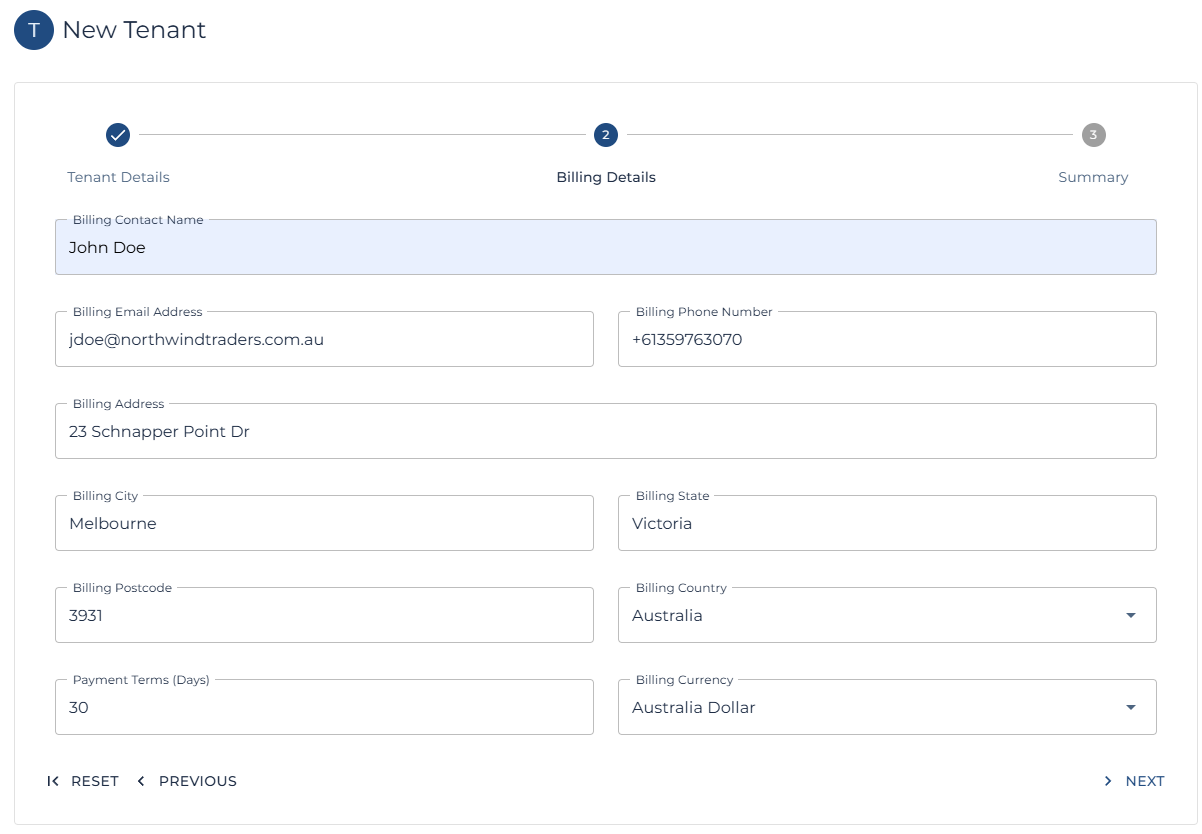
The table below attempts to help service providers with forward planning ahead of onboarding a new tenant.
| Prerequisite | Question to Ask | Sample Answer |
| Entra Tenant for Azure Stack and CMS Authentication. | Provide the Microsoft Entra Tenant you wish to use for Authentication to the Azure Stack? | nwtraders.onmicrosoft.com |
| Entra User to be the default / initial owner of the Azure Stack Subscription / CMS Tenant. |
Provide the Entra user who will be the initial owner of the Azure Stack subscription?
This can be any user or guest user within the Entra Tenant? |
jdoe@northwindtraders.com.au |
| Billing Information (Tenant) |
Provide the following Billing Contact information:
|
John Doe jdoe@northwindtraders.com.au +61359763070 3 Schnapper Point Dr Melbourne Victoria Australia
|
| Billing Information (Internal) |
If using the CMS for month end billing.
|
30 Days Australian Dollar |
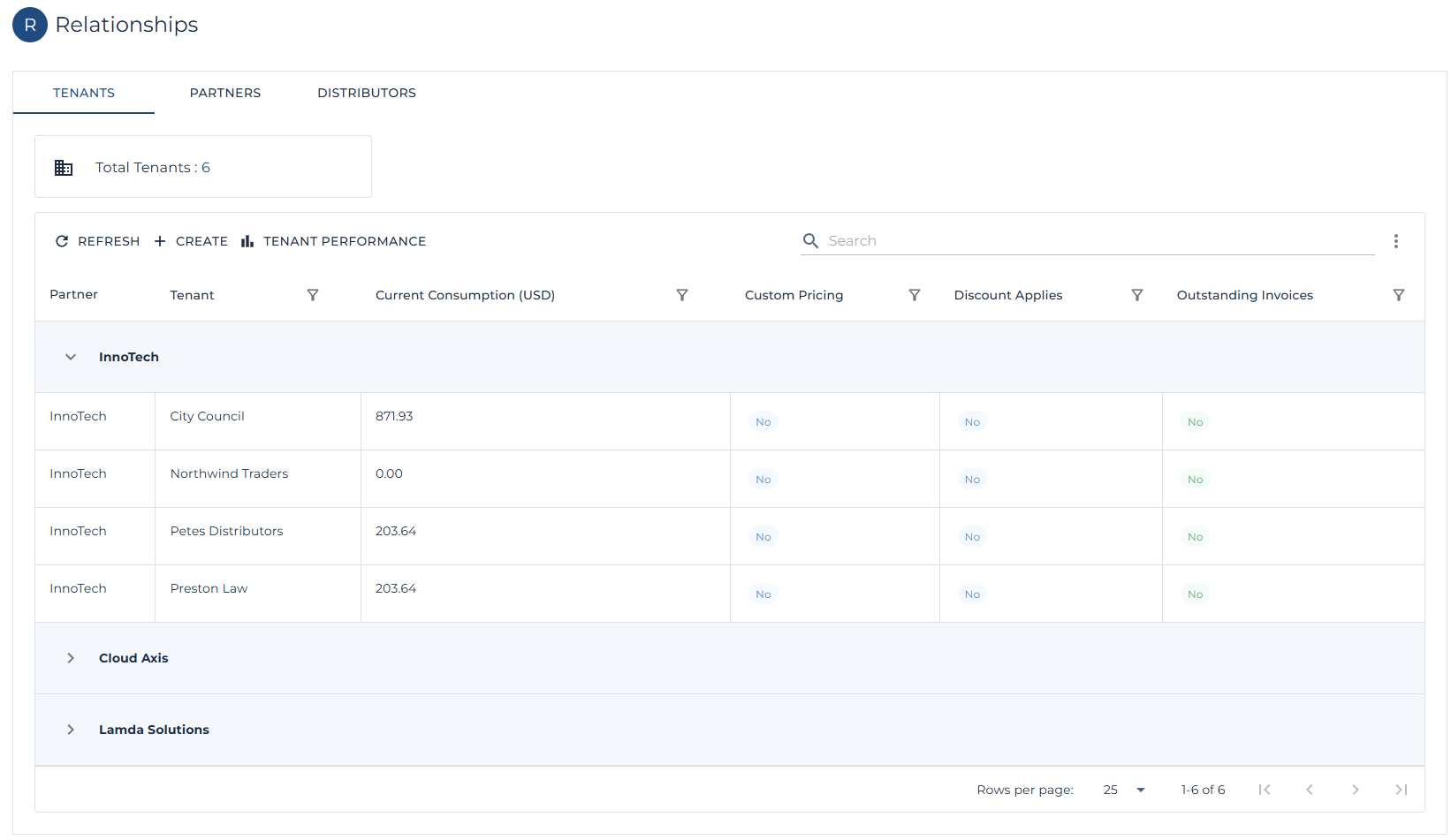
Create a new Tenant
The first step involves create a new Tenant within the CMS.
| Note: This links the Tenant to a Partner. |
| Note: Follow the steps here to create a new Tenant. |
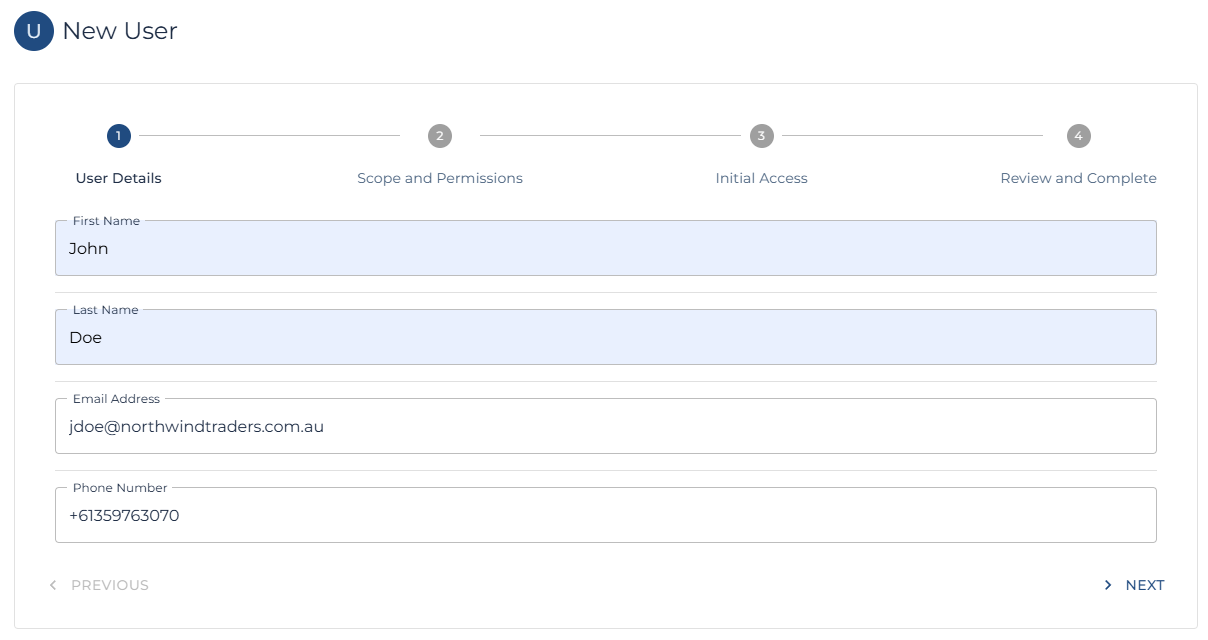
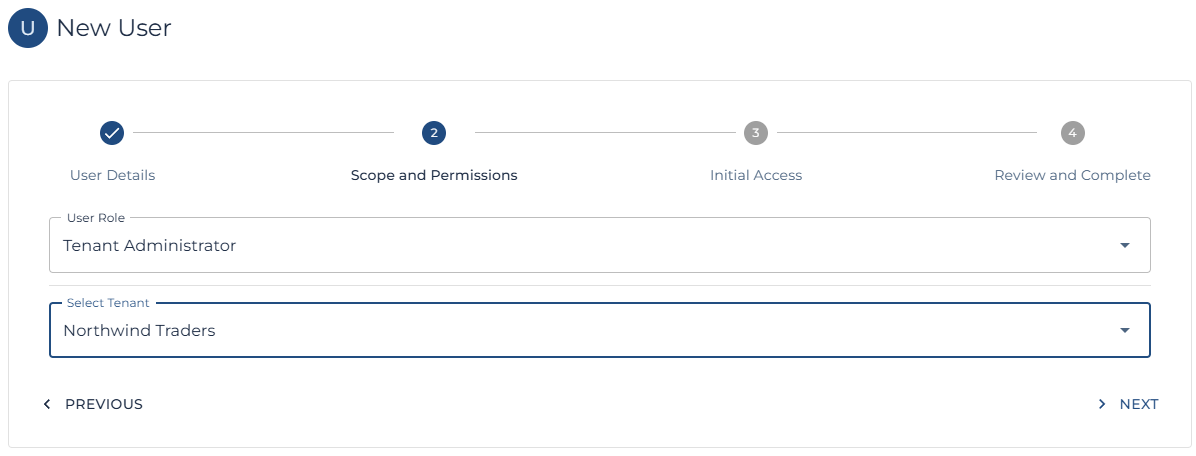
Setup Users for the New Tenant
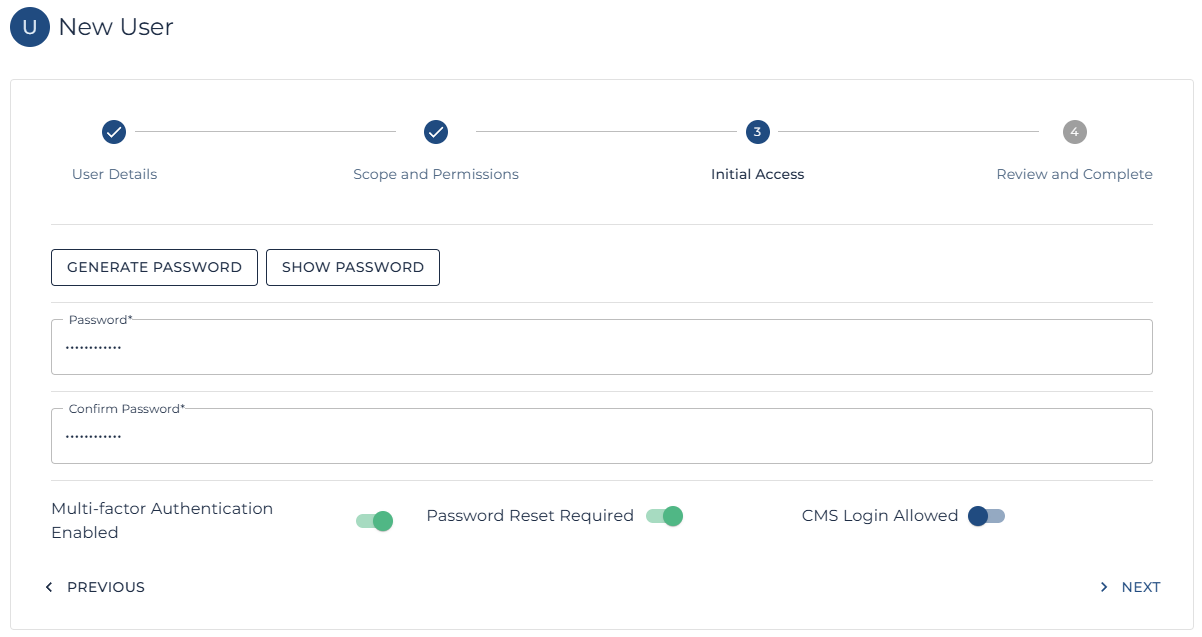
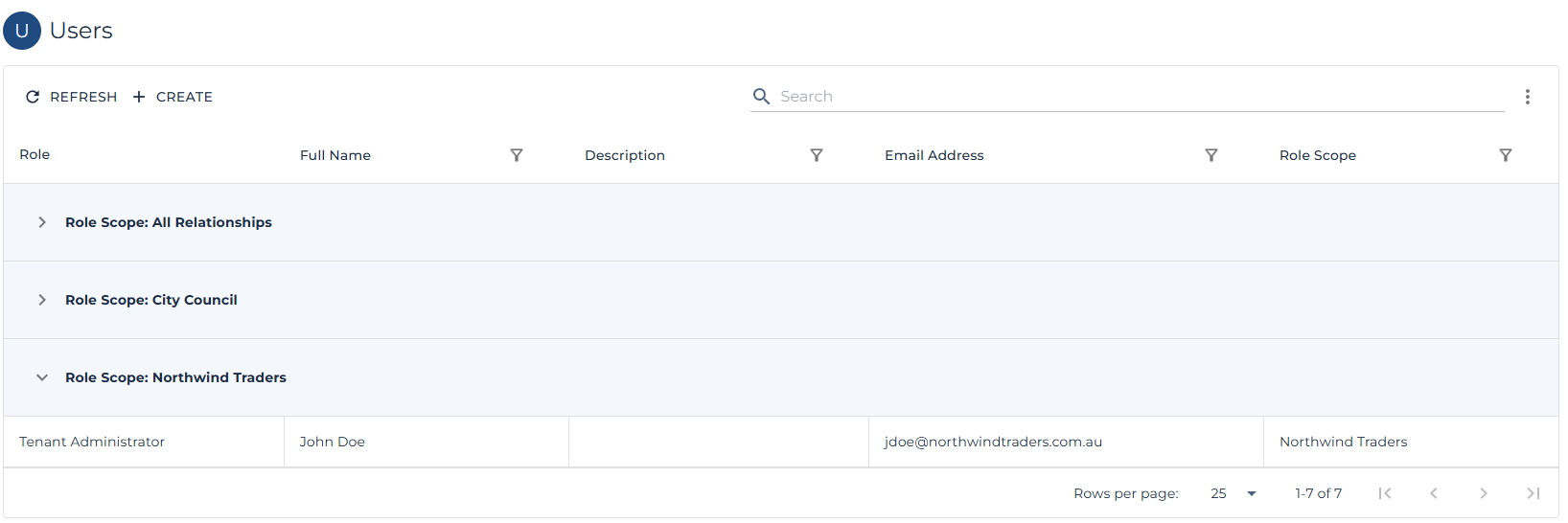
One the Tenant has been created; the next step is to create at least one Tenant Administrators.
| Note: Tenant Administrators can then create and manage additional users and Administrators within the Tenant. |
| Note: Follow the steps here to create a new User |
|
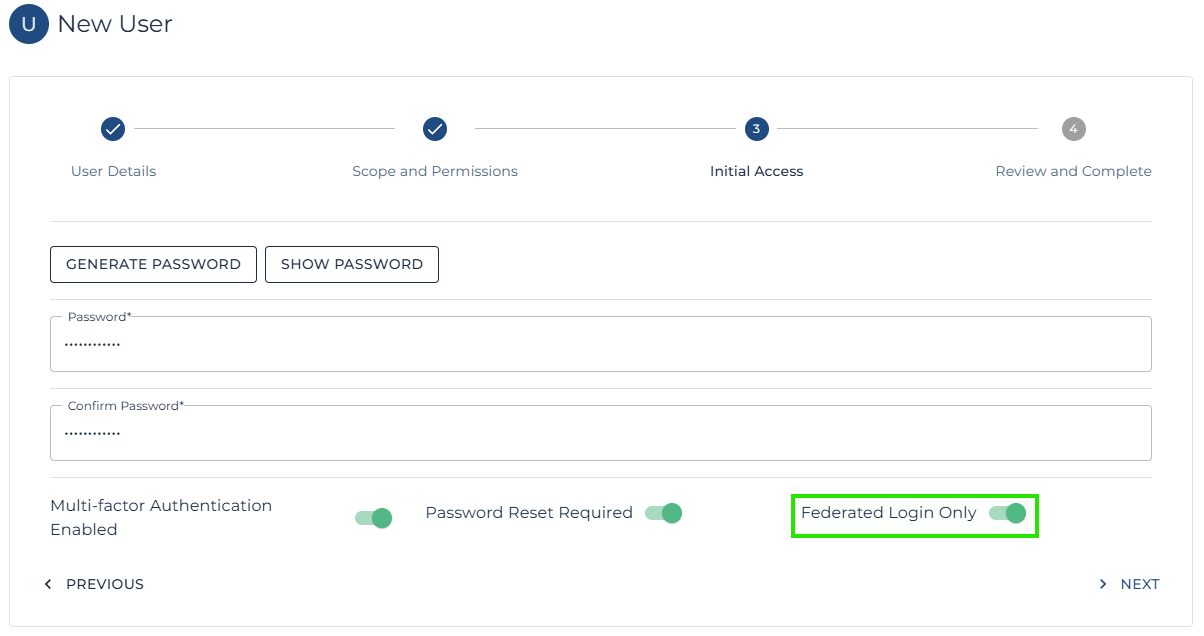
Note: One option of interest is the CMS Login Allowed. This can be switched to Federated Only, ensuring the user cannot login using the CMS authentication flow and making the tenants Entra or Google authentication system responsible.
In most cases, as the Azure Stack requires an Entra tenant in order to authenticate with the Azure Stack anyway, it is far easier to simply set CMS login Allowed to Federated Login Only as shown below.
Again, this simply blocks the user from attempting CMS authentication and delegates the Auth responsibility to the tenants Entra authority. |
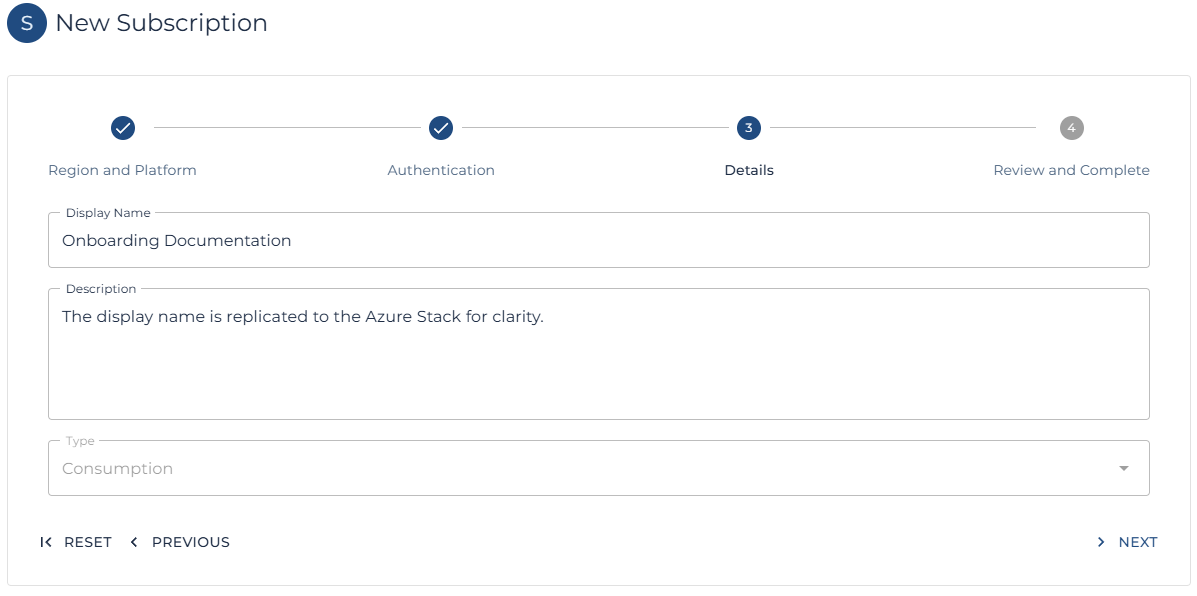
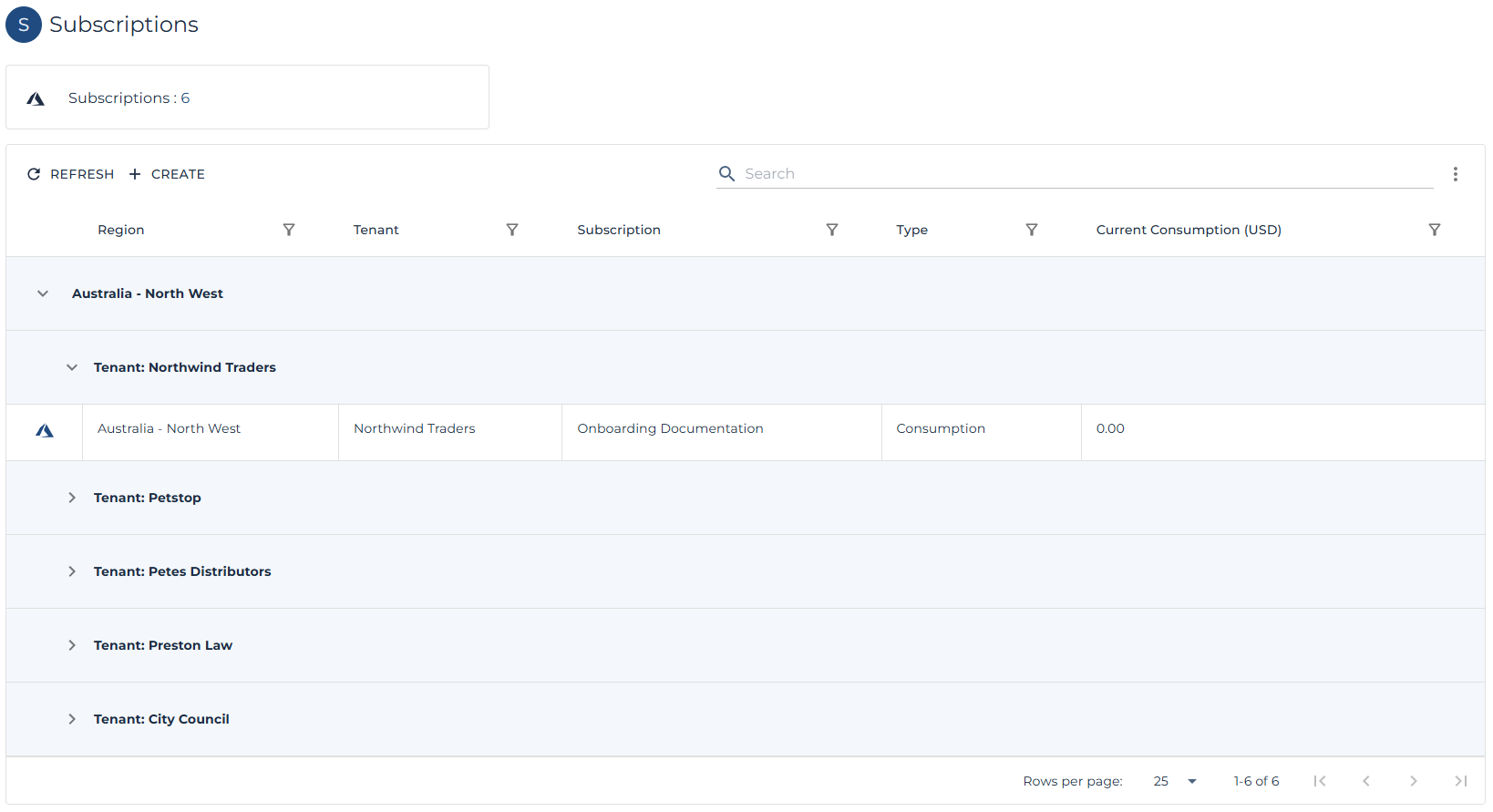
Create a new Subscription
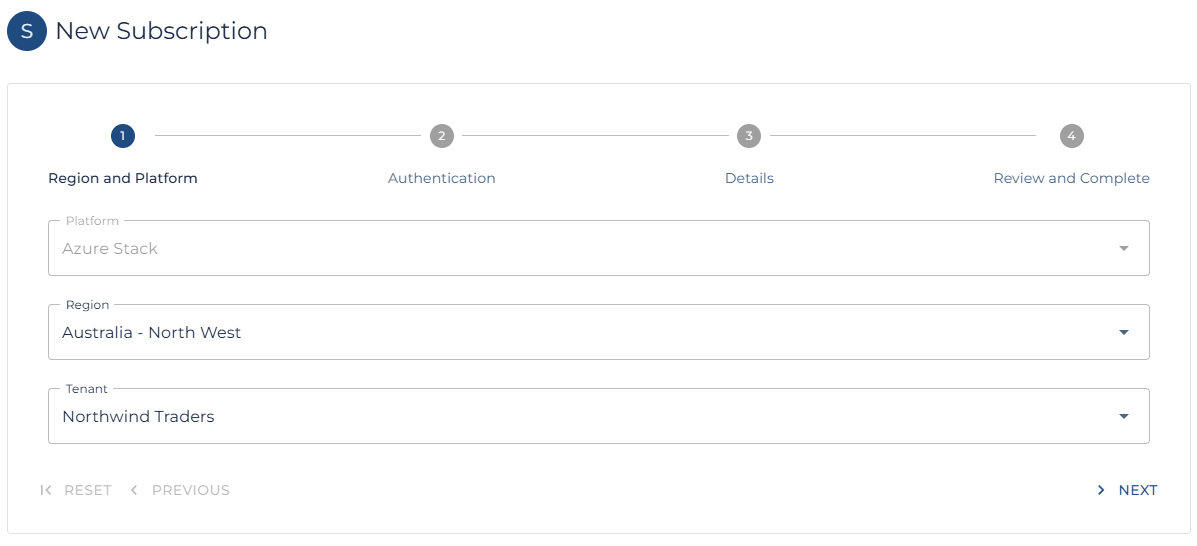
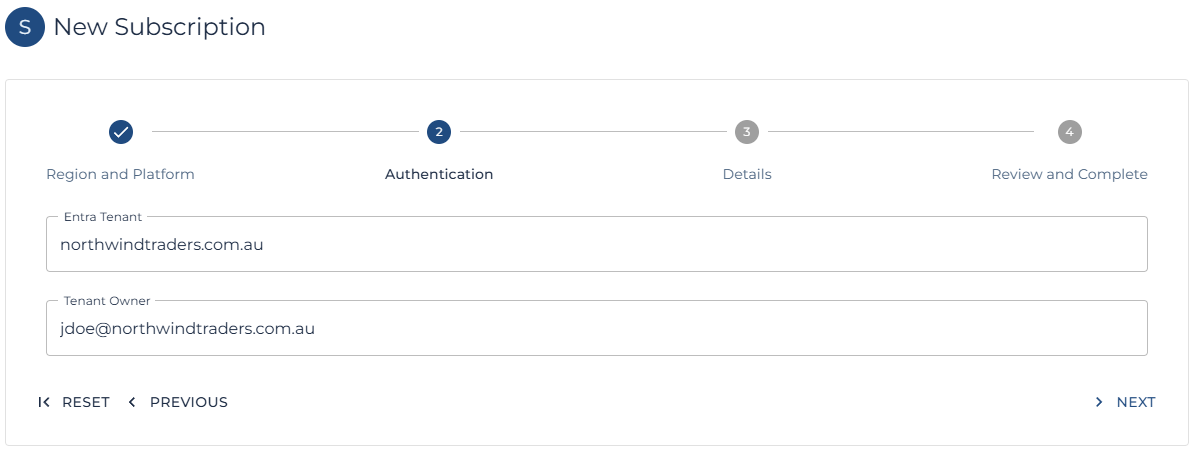
Now that at least one user has been granted access to the CMS tenant, the first subscription can be created by a Platform Administrator, the Distributor who manages the Partner, the Partner who manages the Tenant or the Tenant themselves.
| Note: Follow these steps to create a new subscription. |
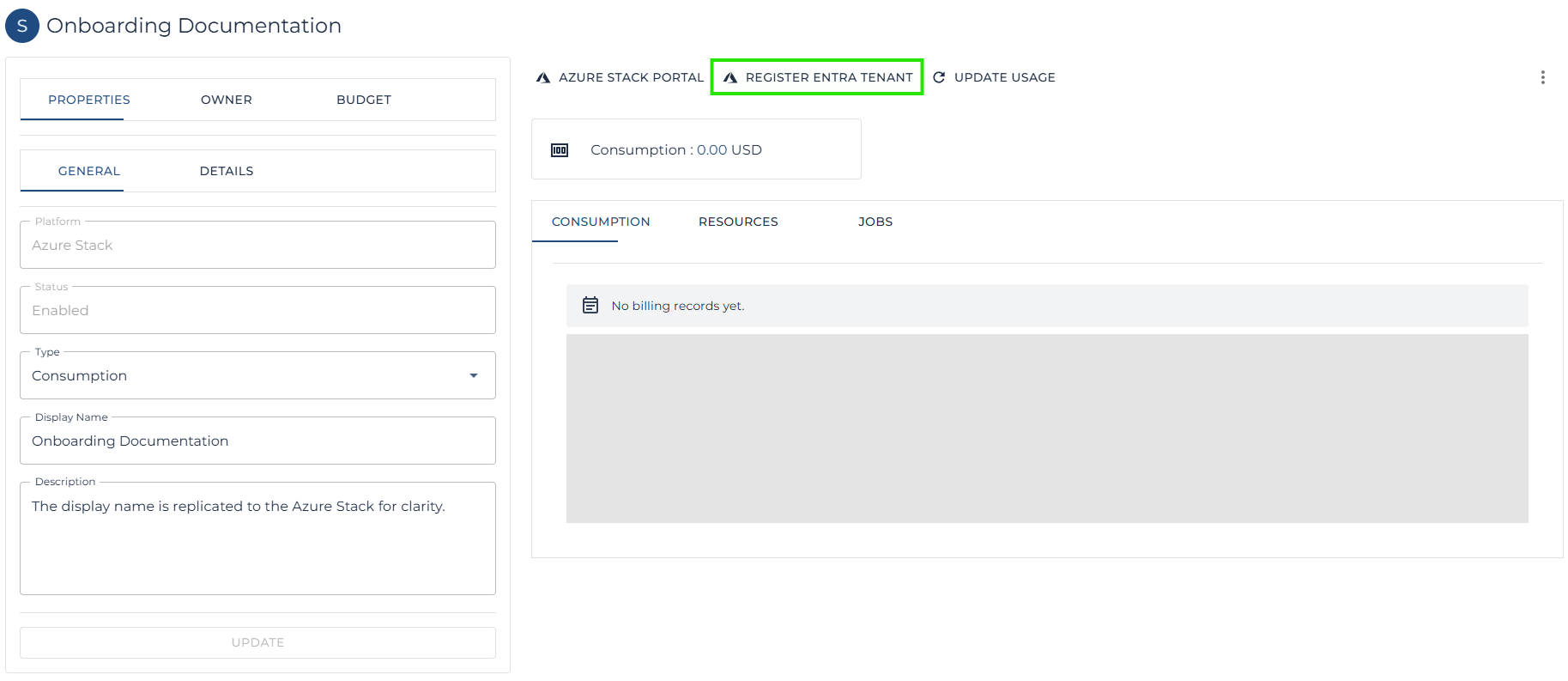
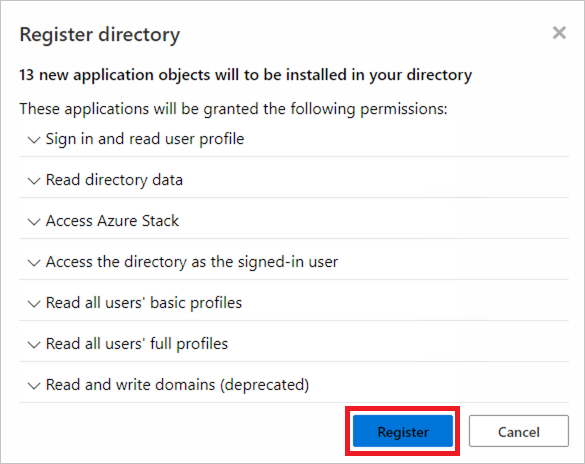
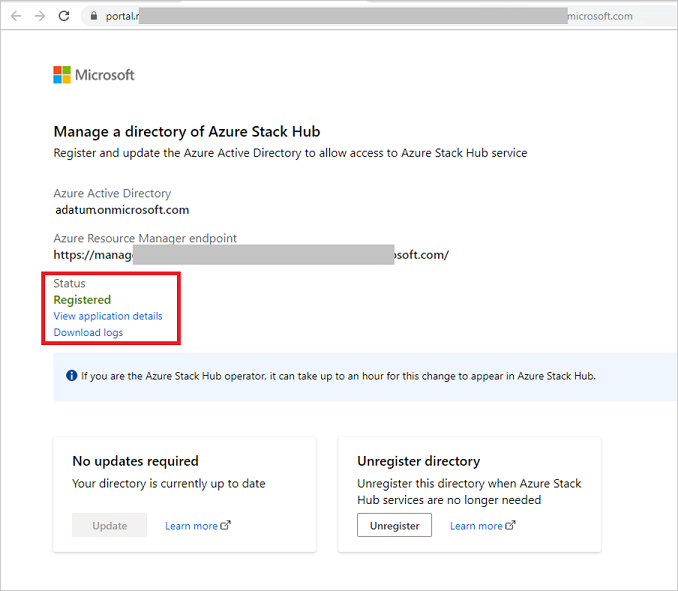
Register the Entra Tenant with the Azure Stack
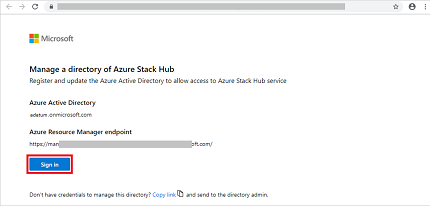
| Note: This operation is managed through the Azure Stack itself and requires the tenant to complete the process, the tenant must use an Entra user with permission to register Entra Applications. Such as a Global Administrator. |
| Note: The steps to complete the Azure Stack Entra Tenant registration can be found on the Microsoft website here. |
Create bespoke Pricing
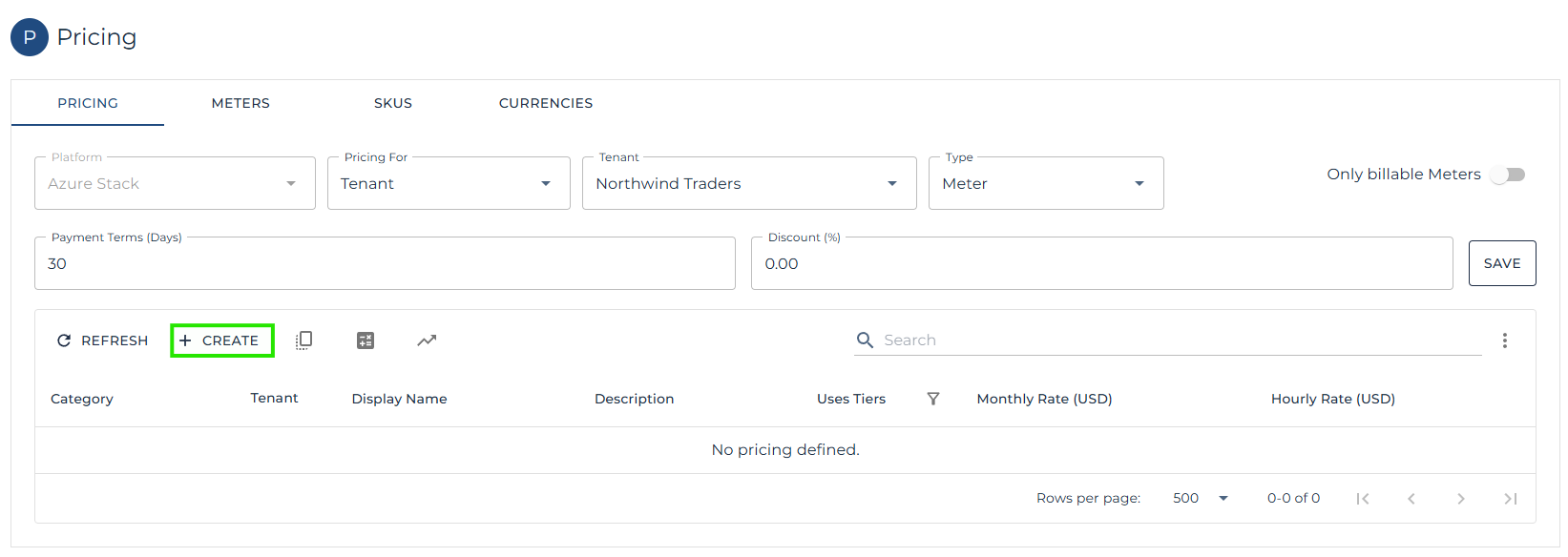
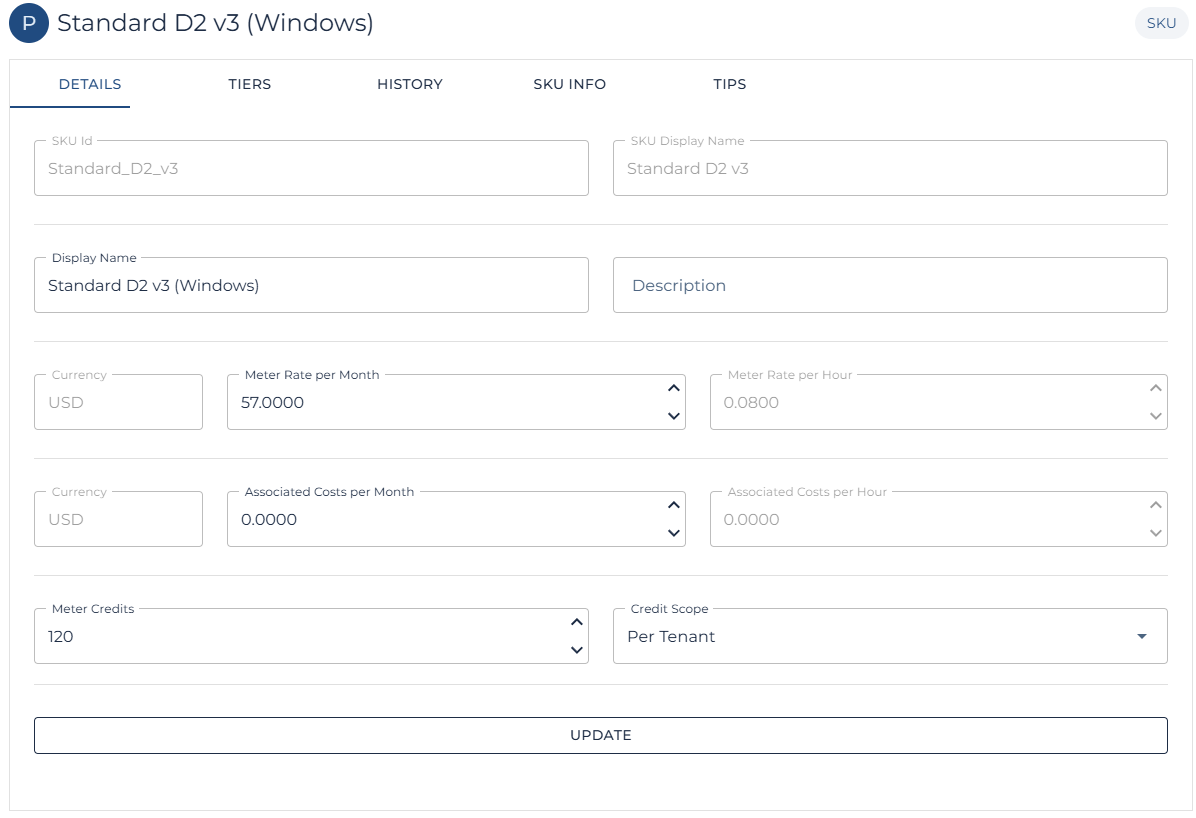
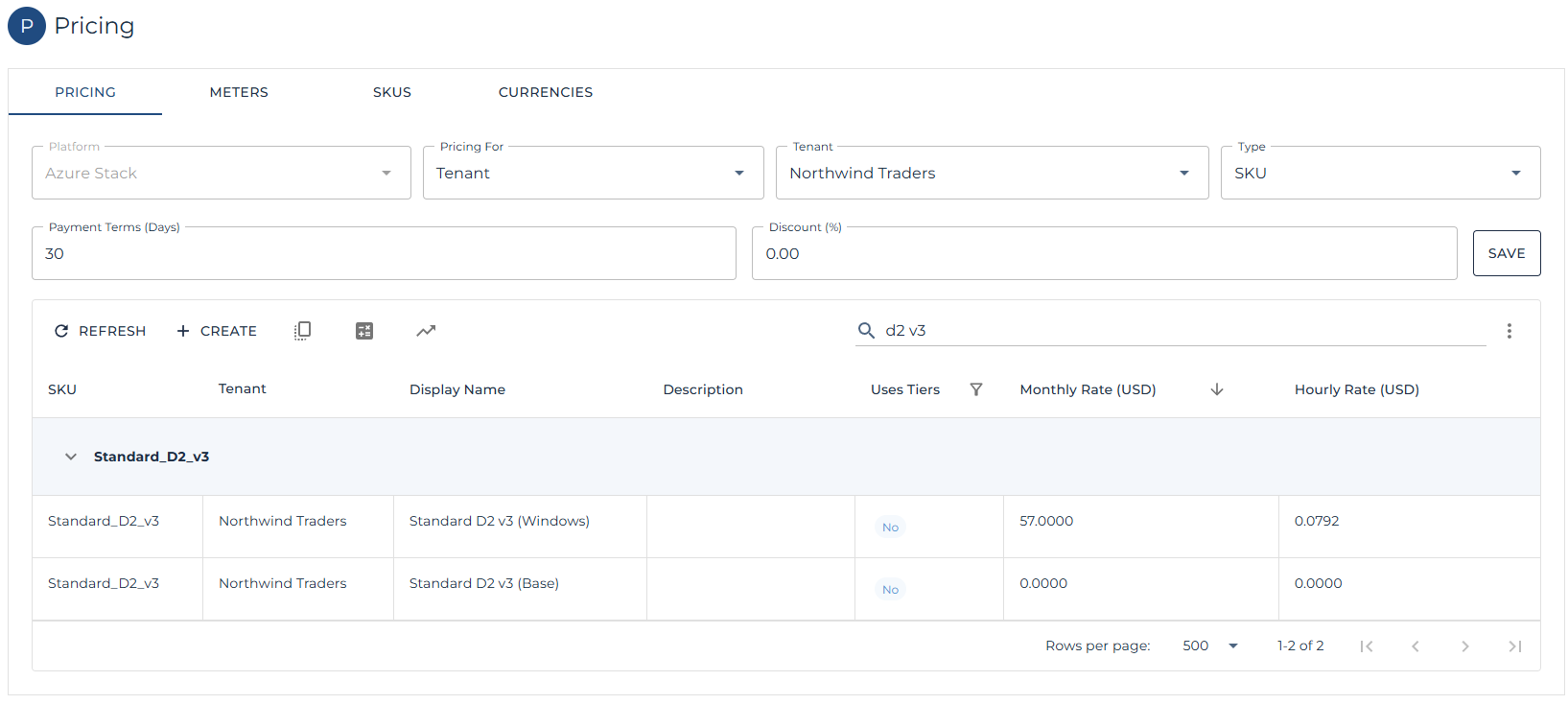
Some opportunities may have been sold to tenants with custom pricing or with credits which need to be applied each month. The section below continues the flow by showing custom pricing and credits being applied to specific Azure Stack VM SKUs.
| Note: This is an optional step and only required if the tenant requires bespoke pricing or credits. |
| Note: Follow these steps to create a new price list. |
| Note: The tenant specific price list will apply during the next usage collection run or can be updated on demand in the pricing page using the recalculate button. |